Money AnalyzerOffline Expense Tracker for Android
Track expenses, manage budgets, and reach your financial goals—all offline. Your data stays private on your device.

Powerful Features for Better Money Management
Everything you need to track expenses, manage budgets, and understand your spending
⚡ Light & Fast
Ultra-lightweight app with minimal storage footprint. Fast performance with optimized local database. Low battery consumption for everyday use. Quick startup and smooth navigation. Efficient memory usage - perfect for all devices.
📡 Works Without Internet
100% offline functionality - no internet connection required. Complete feature set available offline. All data stored locally on your device. No account creation or login needed. Works anywhere, anytime - even without Wi-Fi or mobile data.
📊 Smart Expense Tracking
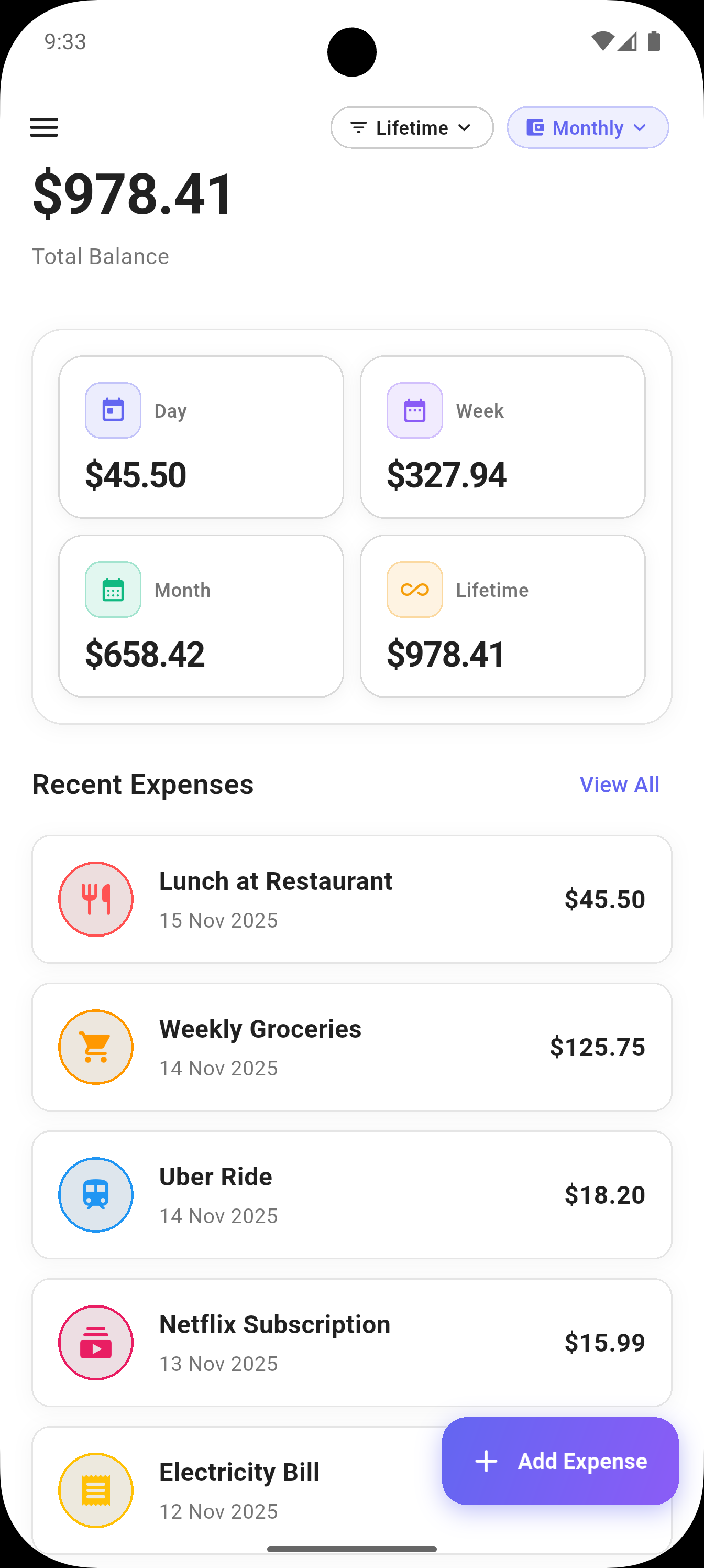
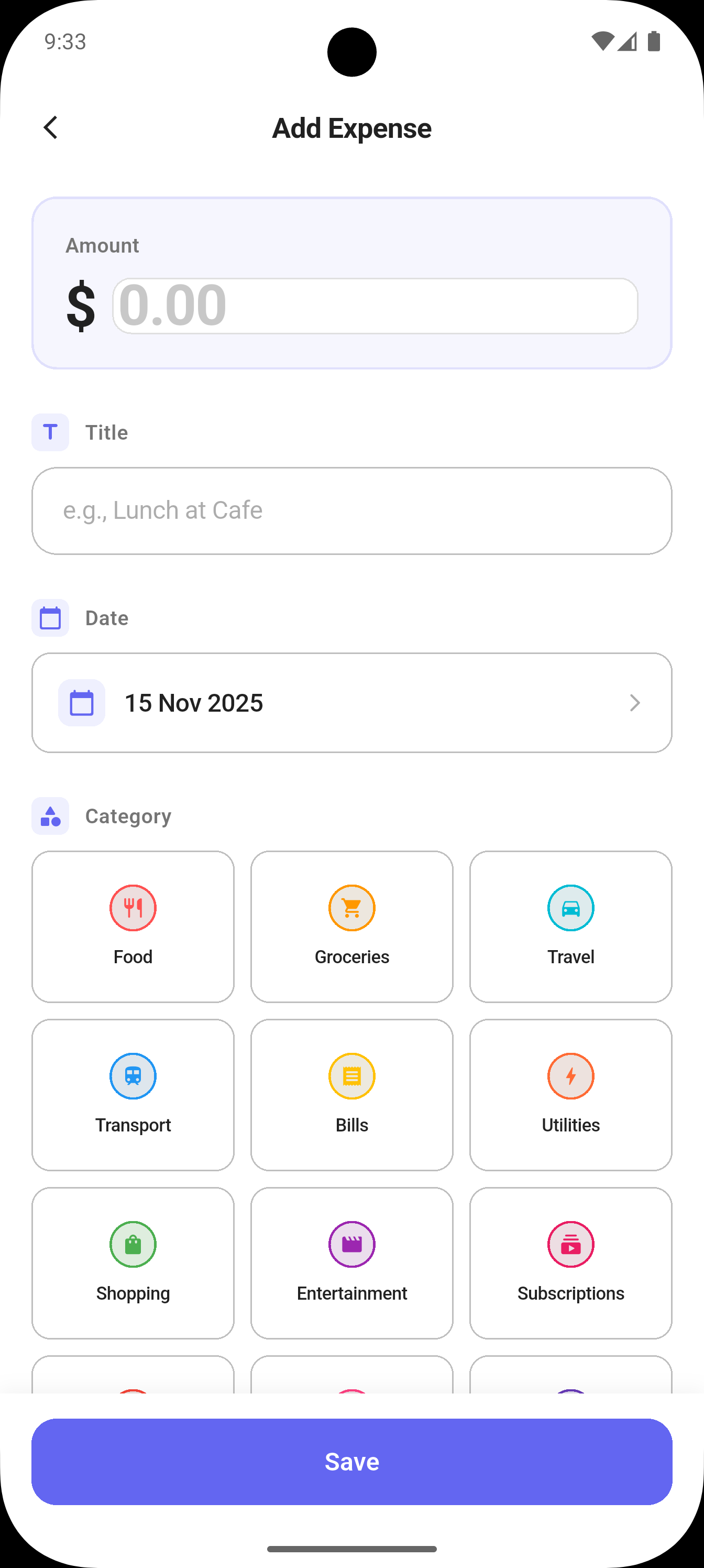
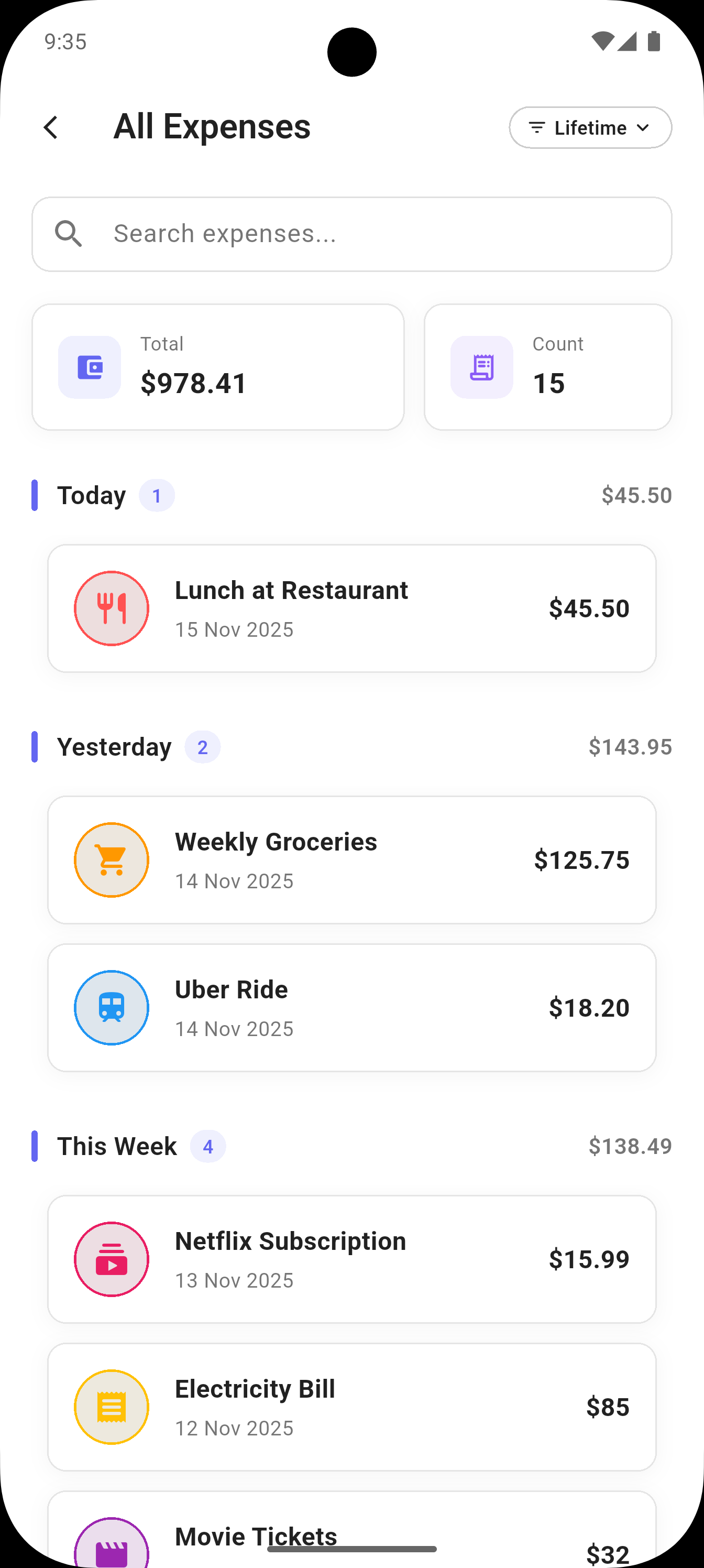
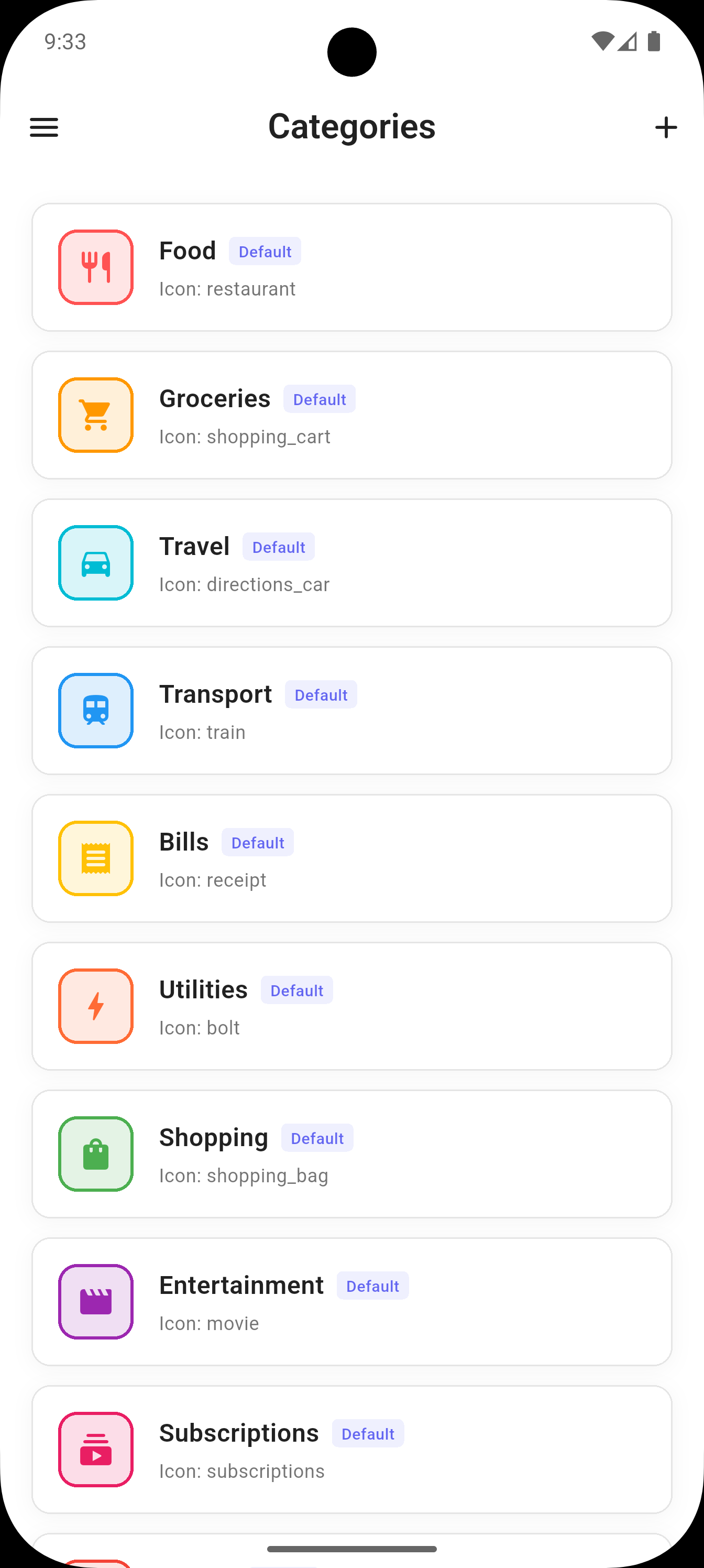
Add, edit, and delete expenses with ease. Organize expenses across 16 predefined categories. Attach notes and receipt images to expenses. Quick swipe gestures for editing and deleting. View all expenses with advanced filtering options.
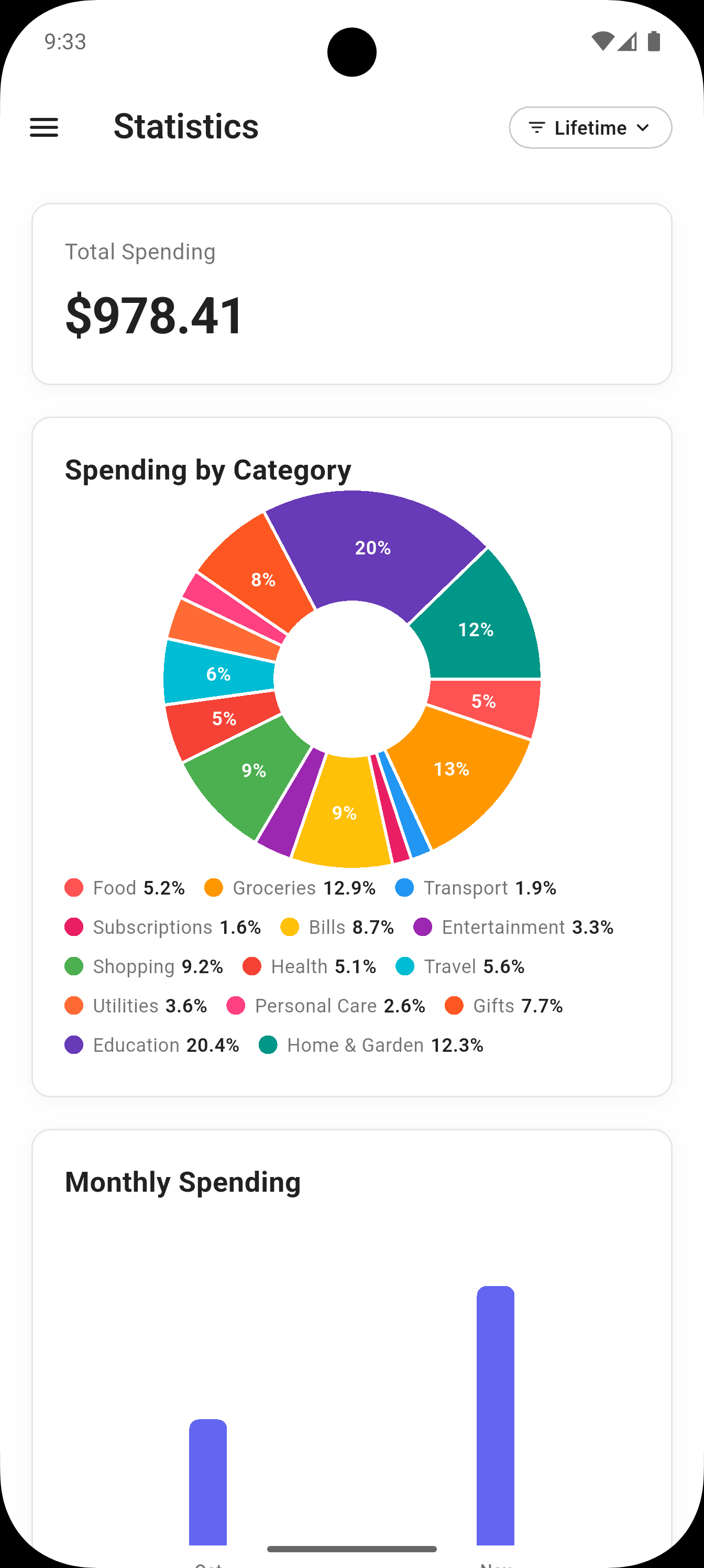
📈 Beautiful Statistics & Analytics
Interactive pie charts showing spending by category. Monthly bar charts for trend analysis. Category-wise expense breakdowns. Filter statistics by day, week, month, or lifetime. Visual insights into your spending patterns.
🌍 Multi-Currency Support
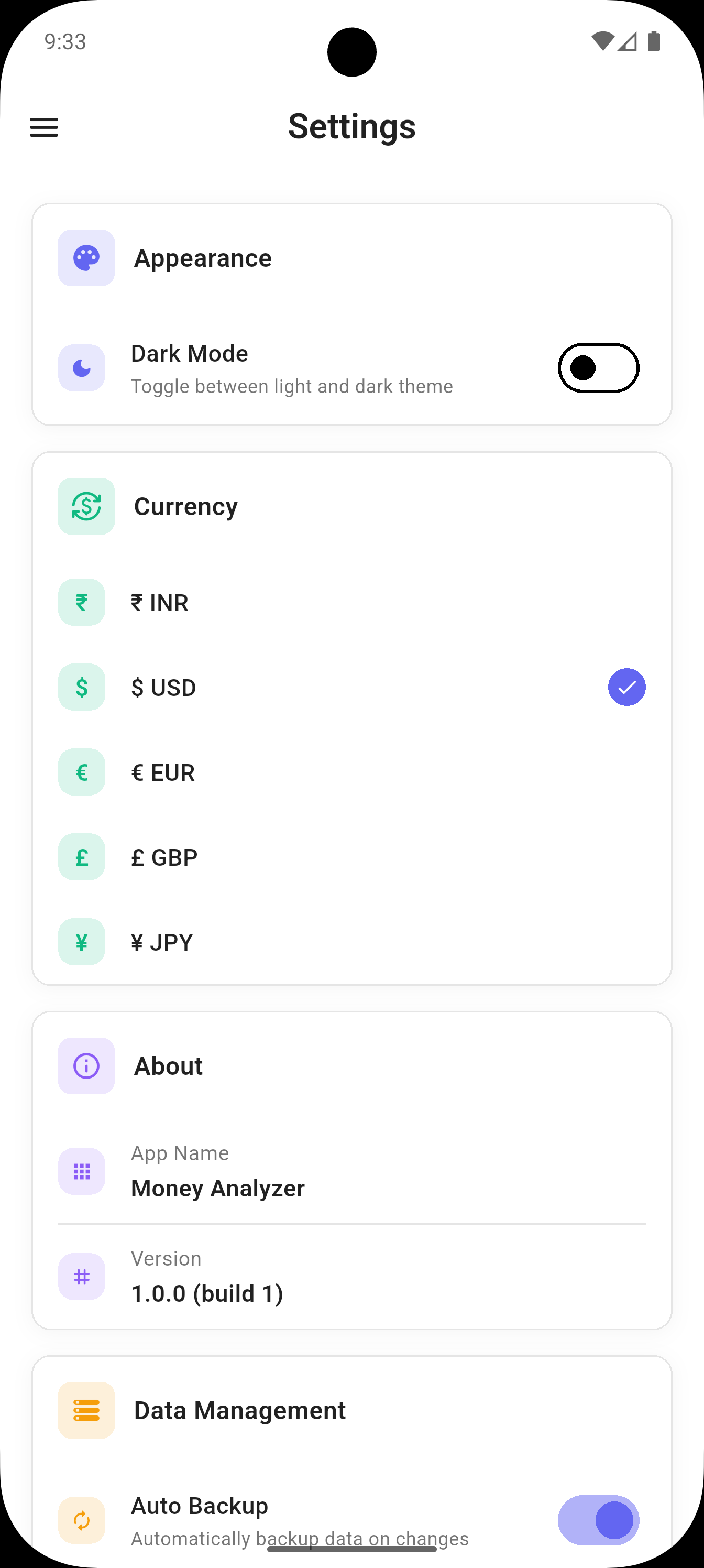
Support for 5 major currencies: INR (₹), USD ($), EUR (€), GBP (£), JPY (¥). Easy currency switching in settings. Accurate currency formatting throughout the app.
🎨 Modern Material 3 Design
Beautiful, modern user interface. Smooth animations and transitions. Dark mode support for comfortable viewing. Responsive design optimized for all screen sizes. Intuitive navigation with drawer menu.
💾 Data Management & Backup
Local SQLite database for fast, offline access. Export your data to JSON format. Import and restore from backup files. Auto-backup feature to protect your data. Complete privacy - all data stored locally on your device.
📱 User-Friendly Experience
Onboarding screen for new users. Quick expense entry with floating action button. Recent expenses displayed on home screen. Summary cards showing Day, Week, Month, and Lifetime totals. Pull-to-refresh functionality. Empty state illustrations for better UX.
🔒 Privacy & Security
100% offline functionality - no internet required. All data stored locally on your device. No account creation or login required. Privacy policy available in settings. Complete control over your financial data.
See It In
Action
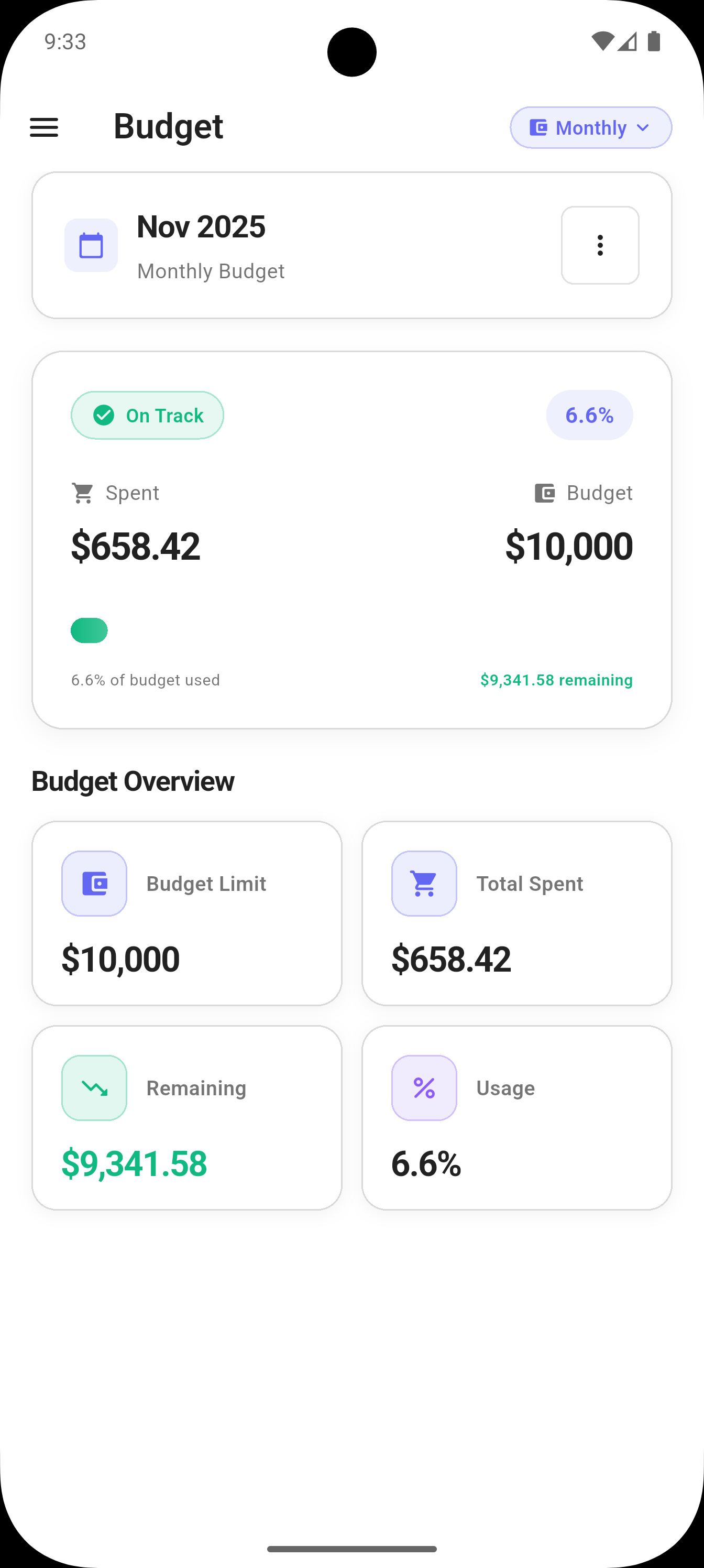
Beautiful screenshots showcasing every feature of Money Analyzer
How It Works
Start managing your money better in three simple steps
Download & Install
Get the app from the store. No account creation or internet required - works 100% offline.
Track Your Expenses
Add expenses across 16 categories. Attach notes and receipts. Set budgets for any time period.
Analyze & Save
View beautiful charts and insights. Monitor budgets and watch your savings grow with data-driven decisions.
📂 Expense Categories
Organize your expenses across 16 comprehensive categories
🎯 Perfect For
Whether you're tracking daily expenses or planning long-term budgets, Money Analyzer has you covered
Frequently Asked Questions
Quick answers about the Money Analyzer expense tracker app
Does it work without internet?
Yes. Money Analyzer is fully offline. Adding expenses, setting budgets and viewing charts all work without Wi-Fi or mobile data, and you don't need to create an account or log in.
Where is my data stored?
Your data is stored locally in the app's database on your Android device. There is no account and no cloud sync, and the app doesn't connect to your bank accounts: you add expenses yourself.
How do I back up my data?
You can export your data to a JSON file and import it later to restore it on the same or another device. The app also has an auto-backup feature to help protect your data.
Which currencies are supported?
Five currencies are supported: Indian rupee (INR), US dollar (USD), euro (EUR), British pound (GBP) and Japanese yen (JPY). You can switch between them in the app's settings.
Is it free?
Yes, Money Analyzer is free to download from Google Play. It is an Android app.
Get Money Analyzer on Google Play
Free offline expense tracker for Android. No account needed.